Please fill out the form below to request a quote or to request more information about us. please be as detailed as possible in your message, and we will get back to you as soon as possible with a response. we're ready to start working on your new project, contact us now to get started.
What is the Best Way to Integrate an Intelligent Lighting Controller into Your Home?
2026-08-25
FAMOU
12
Intelligent lighting controllers are transforming the way we interact with home lighting. FAMOU lights offer seamless integration with smart home devices like Alexa, making it easy to control lights through voice commands. Our step-by-step guide will help you connect FAMOU lights to Alexa and retrofit existing lighting fixtures effortlessly. Let's dive in and explore the best practices for integrating an intelligent lighting controller into your home.
Introduction
Intelligent lighting controllers are devices that enable you to remotely control and automate your home lighting. By integrating FAMOU lights with smart devices like Alexa, you can easily manage your lights, enhance energy efficiency, and simplify your daily routines. FAMOU lights offer a user-friendly interface, seamless connectivity, and a plethora of features that make them a top choice for smart home setups.
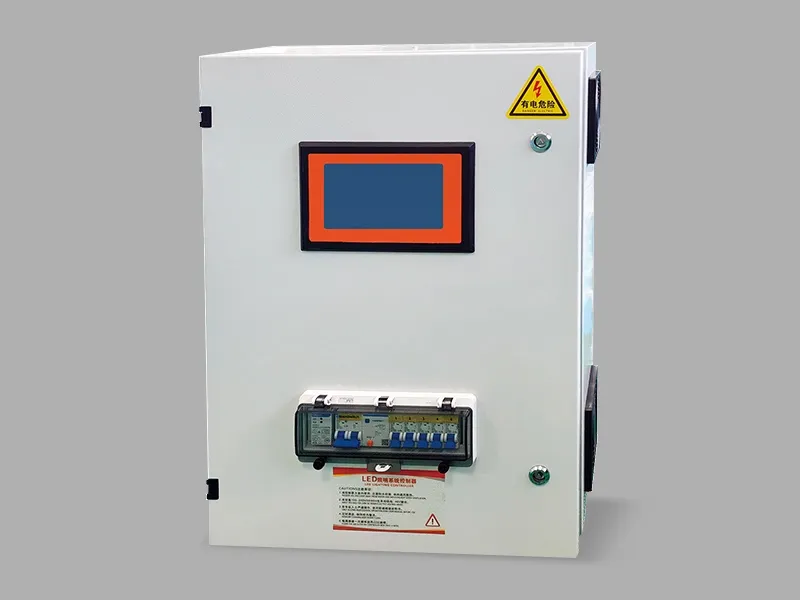
Key Features of FAMOU Lights
- Seamless Integration: Compatible with Alexa, Google Home, and other smart assistants
- Voice Control: Control lights using voice commands
- Automated Scheduling: Set schedules for lights to turn on or off automatically
- Energy Efficiency: Save energy by adjusting lighting based on usage patterns
- Compatibility: Works with various smart home devices and hubs
Step-by-Step Integration Guide
How to Connect FAMOU Lights to Alexa Step by Step
Necessary Equipment and Prerequisites
- FAMOU lights and controller
- Smartphone or tablet
- Wi-Fi network
- Alexa app or device (Echo, Dot, or Show)
Step 1: Install the FAMOU App
Download and install the FAMOU app on your smartphone or tablet. The app provides a user-friendly interface to manage and control your FAMOU lights.
Step 2: Connect FAMOU Lights to Your Home WiFi Network
- Power on the FAMOU controller: Ensure your FAMOU lights are connected to the controller and powered on.
- Connect to the FAMOU network: In your smartphone or tablet, select the FAMOU network that appears in the available networks list.
- Enter the app: Once connected, open the FAMOU app and follow the on-screen instructions to connect your lights to your home WiFi network.
Step 3: Adding FAMOU Lights to Your Alexa Device
- Open the Alexa app: Launch the Alexa app on your smartphone or tablet.
- Select Add a Device: Go to the main menu and tap on Add a Device.
- Choose Lighting: In the Smart Home section, select Lighting.
- Select FAMOU Lights: From the list of devices, choose FAMOU Light.
Step 4: Testing the Connection and Voice Commands
Once connected, you can control your FAMOU lights using voice commands in Alexa. Test the integration by saying Alexa, turn on the kitchen lights or Alexa, dim the bedroom lights to ensure the connection is working as expected.
Retrofitting Existing Lighting with FAMOU Controller
In addition to adding new FAMOU lights, you can retrofit existing lighting fixtures with FAMOU controllers. This process allows you to maintain your preferred fixtures while integrating them into a smart lighting system.
Different Ways to Integrate FAMOU Lights
- Replace Existing Fixtures: Swap out your existing fixtures with FAMOU lights.
- Install FAMOU Controllers: Install FAMOU controllers in your existing fixtures.
- Use Smart Bulbs: Replace old light bulbs with FAMOU smart bulbs.
Step-by-Step Guide for Retrofitting Existing Fixtures
- Select Compatible Fixtures: Choose fixtures that support FAMOU controllers or smart bulbs.
- Instal FAMOU Controller: Connect the FAMOU controller to your existing fixture or replace the light fixture with a FAMOU fixture.
- Connect to WiFi: Follow the steps in the previous section to connect the FAMOU controller or smart bulbs to your home WiFi network.
- Add to Alexa: Follow the same steps as before to connect FAMOU fixtures or bulbs to your Alexa device.
Troubleshooting Common Issues
- WiFi Connection Issues: Ensure your FAMOU lights are connected to the correct WiFi network.
- App Errors: Restart the app or the FAMOU lights to resolve connection issues.
- Voice Command Problems: Check the Alexa app to ensure your FAMOU lights are properly connected and set up.
Benefits and Features
Control Through Voice Commands
One of the most significant advantages of FAMOU lights is their seamless integration with voice assistants like Alexa. Whether you want to turn on the lights, adjust brightness, or set a schedule, you can do it all with simple voice commands.
Schedule-Based Automation
FAMOU lights allow you to automate lighting schedules based on your routines. Set the lights to turn on or off at specific times of the day or week. You can also set up triggers based on motion sensors or other smart home devices.
Energy Efficiency and Savings
FAMOU lights are designed to be energy-efficient. Their smart features enable you to save electricity by adjusting lighting based on usage patterns. For example, you can set the lights to turn off when you leave a room or adjust the brightness to match the natural light levels.
Compatibility
FAMOU lights work seamlessly with other smart home devices, including Google Home, Apple HomeKit, and Samsung SmartThings. This means you can control your lights through multiple devices and integrate them into your overall smart home setup.
Comparison with Other Smart Lighting Solutions
Technical Details
Technical Specifications
- WiFi Connectivity: FAMOU lights support standard WiFi protocols, ensuring seamless integration with your home network.
- Zigbee Compatibility: For users with Zigbee-enabled smart home systems, FAMOU lights are fully compatible.
- Bluetooth Support: FAMOU lights also support Bluetooth for additional connectivity options.
- Range of Control: FAMOU lights can control up to 50 bulbs or fixtures in a standard home setup.
- Power Consumption: Low power consumption ensures energy efficiency and extended battery life.
Installation and Setup Steps
- Install FAMOU Controller: Connect the FAMOU controller to your home network using the provided instructions.
- Configure Lights: Set up each light fixture or smart bulb in the FAMOU app.
- Connect to Alexa: Follow the steps outlined earlier to connect your FAMOU lights to your Alexa device.
Troubleshooting
- WiFi Connection Issues: Restart the controller or reset the network settings.
- App Errors: Clear the app cache or reinstall the app if issues persist.
- Voice Command Problems: Ensure the Alexa skills are properly set up and that the lights are connected in the app.
Conclusion
Integrating an intelligent lighting controller into your home can significantly enhance your daily experience and simplify your routine. FAMOU lights offer a user-friendly setup, seamless integration with smart home devices, and numerous features to improve energy efficiency and convenience.
Take action today and start enjoying the benefits of intelligent lighting control with FAMOU lights. Your smart home setup will thank you!
Table of Contents
GET IN TOUCH WITH Us
Qingdao Famou Machinery Co., Ltd. Relying on professional technical strength and a sound service system, it has grown into a backbone force in the EPC general contracting field of poultry farming equipment.
LINKS
PRODUCT
CONTACT US
Contact Person: Devin Zhai
Tel: +86 532 68013396
Email: 13853209788@163.com
Company Address: 169 Huizhiqiao Road, Chengyang District